> For the complete documentation index, see [llms.txt](https://docs.ilsas.uniwa.gr/llms.txt). Markdown versions of documentation pages are available by appending `.md` to page URLs; this page is available as [Markdown](https://docs.ilsas.uniwa.gr/urungi/english/urungi-user-manual/8.-annexes.md).
# 8. Annexes
### 8.1 Memory Aid: The main Koha tables
The complete Koha schema for each version are available on the Koha community website:
#### 8.1.1 Patrons/Circulation
* ‘borrowers’ → Patrons
* ‘issues’ → current loans
* ‘old\_issues’ and ‘statistics’ → history of loans
* ‘reserves’ → reservations
* ‘old\_reserves’ → reservations history
#### 8.1.2 Catalog
***Authorities:***
* ‘auth\_header’ → authorities
* column: ‘authtypecode’ \[CO, NP, SNC, etc.] ; see details of the settings on Koha Administration > Authority types
***Bibliographic records:***
**warning!** Bibliographic data are divided in 3 different tables
* ‘biblio’ → MARC fields selection → ; see details of the settings on Koha Administration > Koha links => MARC
* ‘biblioitems’ → selection of MARC fields ; see details of the settings on Koha Administration > Koha links => MARC
* ‘biblio\_metadata’ → all MARC fields stored in MARCXML (‘ → metadata’ column corresponds to the bibliographic record)
* ‘deletedbiblio’ → list of deleted records
* ‘deletedbiblioitems’ → list of deleted records
* ‘deletedbiblio\_metadata’ → list of deleted records
***Items:***
* ‘items’ → list of items, see details of the settings on Koha Administration > Koha links=> MARC
* ‘deleteditems’ → list of deleted items
#### 8.1.3 Serials
* ‘subscription’ → list of subscription
* ‘serial’ → list of issues
* ‘serialitems’ → list of items when receiving an issue create an item
#### 8.1.4 Code labels
* ‘branches’ → sites (for the branches name)
* ‘itemtypes’ → loan types (for the name of the loan type)
* ‘categories’ → member categories (for the name of the member category)
* ‘authorised\_values’ → authorised values lists (for the name of the locations, traps, collections, etc.)
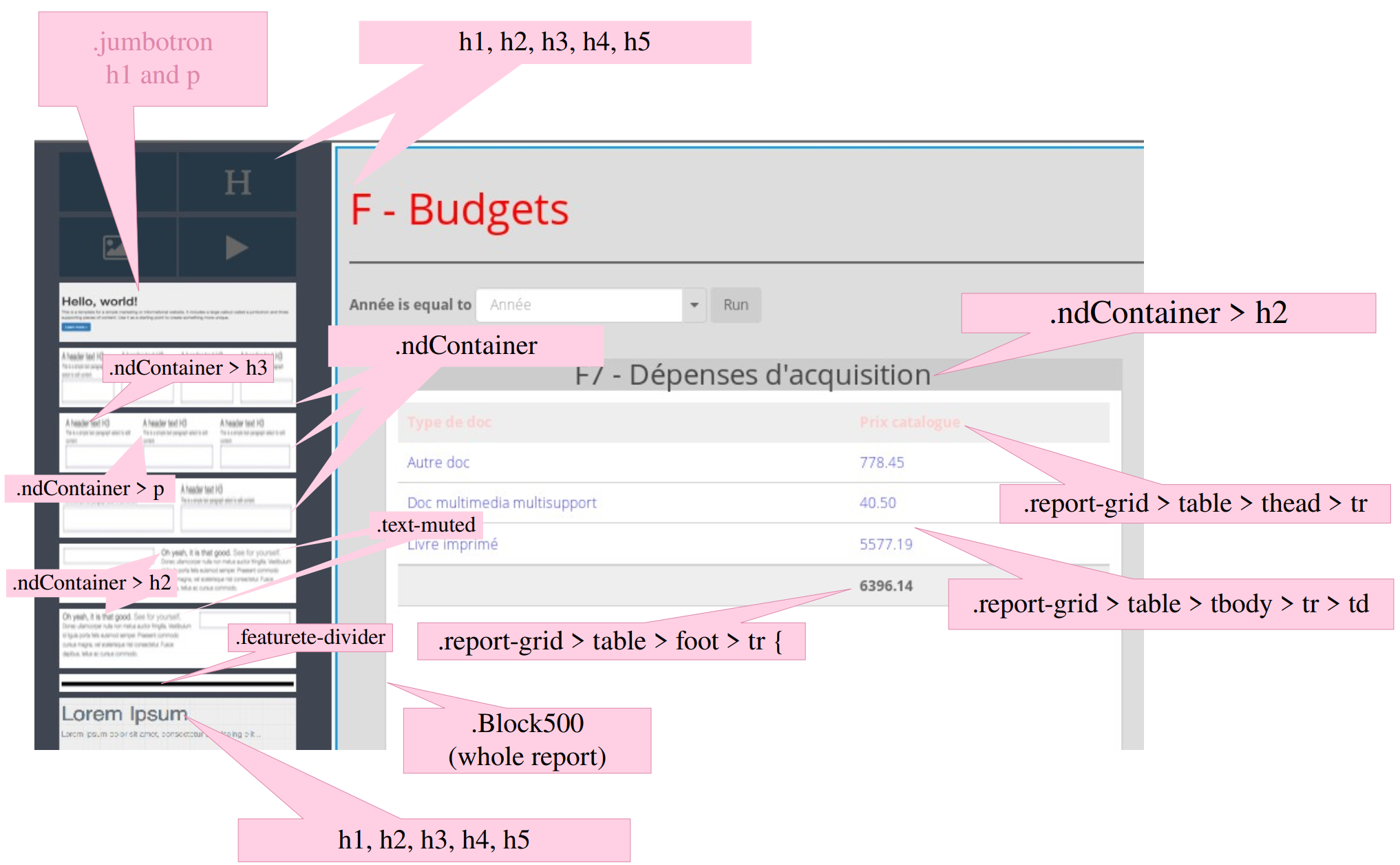
### 8.2 Classes for Themes